

By Hiran de Silva
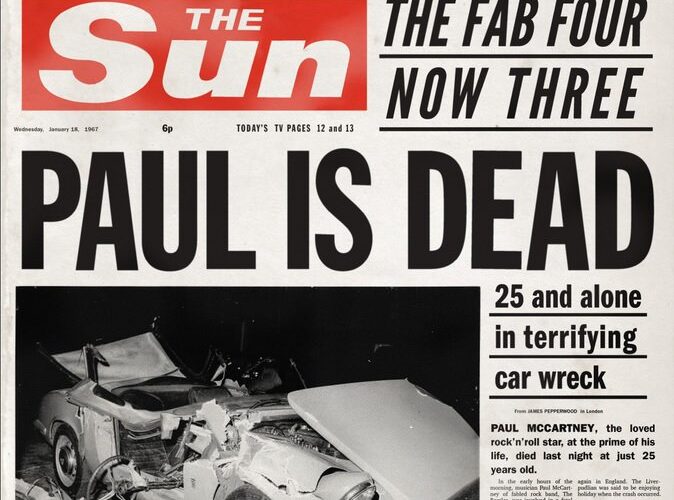
For more than 30 years, Microsoft Access has been dying.
Apparently.
From time to time, another article, post or comment appears declaring that Access is dead, obsolete, irrelevant, or that nobody uses it anymore.
Recently, Myles Arnott provided the latest trigger for this discussion.
And whenever I hear the familiar refrain, I have a slightly unusual reaction.
Please don’t tell too many people that Access isn’t dead.
It could be bad for my business.
Because the widespread belief that Microsoft Access is obsolete has had an extraordinary unintended consequence.
It has helped convince generations of Excel users—and, more importantly, the businesses employing them—that many of Excel’s supposed limitations are unavoidable.
My professional experience tells a rather different story.
Twice, Access Helped Triple My Pay
There is a reason I take this subject seriously.
During my consulting career, I can identify four organisations where my consulting rate increased by at least three times within days.
In two of those four cases, leveraging Excel together with Microsoft Access played a direct part in what I was able to deliver.
Think about that for a moment.
This supposedly dead, obsolete, irrelevant piece of technology contributed to solutions that businesses valued sufficiently to pay me three times what they had originally hired me for.
I wasn’t brought in as a Microsoft Access developer.
The business users weren’t asked to abandon Excel.
We weren’t embarking on enormous IT transformation programmes.
We were solving business problems.
And the secret was remarkably simple.
Excel didn’t have to store all the data itself.
That one idea changes almost everything.
The Wrong Argument About Access
For decades, much of the argument around Access has centred on the wrong question:
Is Microsoft Access still a suitable application-development platform?
That immediately takes us into arguments about SQL Server, cloud databases, enterprise security, scalability, web applications, Dataverse, Fabric and whatever technology happens to be fashionable at the time.
But that isn’t the question that interests me.
My question comes from the perspective of the Excel user:
What happens when the data that would otherwise be scattered across dozens, hundreds or thousands of spreadsheets is stored once, centrally, in a relational database that all those spreadsheets can reach?
Now we are having a completely different conversation.
And Microsoft Access happens to provide one of the easiest ways of demonstrating the answer.
The Problem Isn’t Necessarily Excel
Consider the criticisms we hear repeatedly about Excel.
Excel doesn’t scale.
Excel creates multiple versions of the truth.
Excel is difficult to govern.
Excel consolidation becomes a nightmare.
Excel is unsuitable for multi-user processes.
Excel doesn’t provide adequate auditability.
Excel creates spreadsheet chaos.
In many situations, those criticisms are perfectly reasonable.
But look more closely at the architecture being criticised.
Frequently, we have hundreds of separate Excel files.
Each spreadsheet contains its own data.
Those files are copied, emailed, uploaded, downloaded, renamed, linked and consolidated.
One workbook talks to another workbook, which feeds another workbook, which may ultimately feed a management report.
Of course that becomes difficult to control.
But there is an extraordinarily important question that is rarely asked:
Why are we storing the shared business data inside all those individual spreadsheets in the first place?
Take the shared data out.
Store it once.
Now let Excel do what Excel is extraordinarily good at doing: provide the flexible interface through which people analyse, model, review and interact with that data.
That is the architectural change.
Meet the Digital Librarian
I call the central relational database the Digital Librarian.
Imagine 100 people working in Excel.
Instead of each person’s workbook owning its own isolated version of the business data, there is one central structured repository.
A user asks for information.
Excel sends a request to the Digital Librarian.
GET.
The librarian returns precisely what that user is authorised to see.
The user makes an authorised change—a budget submission, forecast, comment, stock quantity, order, approval status or transaction.
Excel sends it back.
PUT.
The Digital Librarian stores it centrally.
Another authorised user can immediately retrieve it.
Suddenly we no longer have 100 isolated spreadsheets attempting to communicate with one another.
We have 100 clients communicating with one source of shared data.
That is hub-and-spoke architecture.
And it transforms what Excel can do.
Nobody Needs to “Use Access”
This is perhaps the greatest irony of the claim that nobody uses Access.
In many of my solutions, the business user doesn’t need to use Access at all.
The finance manager uses Excel.
The budget holder uses Excel.
The warehouse operator uses Excel.
The call handler uses Excel.
The management accountant uses Excel.
They don’t need to open the Access database.
They don’t need to design an Access form.
They don’t need to write an Access query.
They don’t even need to know much about Access.
Access is sitting quietly in the middle.
It is the librarian.
Excel asks it for information.
Excel gives it information.
The user continues working in the application they already understand.
So when somebody tells me:
“Nobody uses Access anymore.”
My response is increasingly:
Perhaps they don’t have to. Excel can use it.
That is a very different proposition.
GET Changed Excel. PUT Changes the Architecture.
The modern Excel community has become extraordinarily good at GET.
Power Query is a wonderful example.
We teach people how to retrieve information from CSV files, databases, folders, APIs and other spreadsheets.
We combine it.
Clean it.
Transform it.
Load it.
Refresh it.
Excellent.
But collaborative business processes require another question.
Where does the new information go?
Suppose 100 budget holders need to submit budgets.
Suppose warehouse managers need to update stock.
Suppose regional managers need to enter forecast commentary.
Suppose users need to change the status of transactions.
Suppose people across an organisation are participating in the same process.
Retrieving information is only half the story.
Eventually somebody needs to PUT something.
And the moment we introduce GET and PUT against a shared relational store, the architecture changes fundamentally.
Excel is no longer merely consuming data.
It becomes a client participating in an enterprise process.
That capability has existed for decades.
Yet remarkably little mainstream Excel education is built around it.
Why “Access Is Dead” Matters
This is why I believe the Access-is-dead narrative has consequences far beyond Access itself.
When Access disappeared from the mental toolbox of many Excel professionals, something else largely disappeared with it:
the idea that Excel doesn’t have to own the shared data.
And once that idea disappears, we are left trying to solve enterprise-scale problems using spreadsheet-scale architecture.
We add more formulas.
We link more workbooks.
We create SharePoint folders.
We email files.
We build increasingly sophisticated mechanisms for importing and consolidating them.
Then eventually somebody stands back, looks at the resulting complexity and concludes:
“Excel is the problem.”
And waiting outside the door is an enormous industry offering the solution:
Replace Excel.
Planning platforms.
Reporting platforms.
Workflow systems.
Enterprise applications.
Digital transformation programmes.
Some of those products are excellent and entirely appropriate.
But before spending hundreds of thousands—or millions—replacing Excel, there is one question I would like businesses to ask:
Have we actually exhausted what Excel can do when it is given proper architecture?
Very often, I believe we haven’t even started.
Access Is Not the Destination
None of this means that every enterprise application should run on Microsoft Access.
That would be absurd.
Access has limitations.
Scale the requirement sufficiently and SQL Server may become appropriate.
Move into cloud and web architectures and there are many other options.
Today we can extend the same principle beyond Windows Excel—to Office Scripts, APIs, Google Sheets and other clients.
That actually reinforces my point.
Access isn’t the architecture.
Hub-and-spoke is the architecture.
The Digital Librarian is the principle.
Access simply provides an extraordinarily accessible way of discovering it.
You can demonstrate the concept with Excel and a small Access database without first commissioning servers, cloud infrastructure or an enterprise IT project.
Once somebody understands the architecture, replacing Access with SQL Server is no longer an intellectual leap.
The important leap has already happened.
We have moved from:
files talking to files
to:
clients talking to shared data.
That is the transformation.
The Great Access Paradox
Which brings me back to the claim that Access is dead.
Perhaps the people saying it have inadvertently done consultants like me a favour.
If organisations believe Excel is inherently incapable of supporting collaborative enterprise processes, the bar for surprising them becomes remarkably low.
Show them multiple Excel workbooks interacting with one central database.
Show one user PUT information and another GET it.
Show 100 budget holders working independently while contributing to one central truth.
Show instant consolidation without linking hundreds of spreadsheets.
Show security.
Show audit trails.
Show versioning.
Show drilldown.
Show management structures that can be changed centrally rather than rebuilt through hundreds of files.
And suddenly something the organisation had been told was impossible with Excel is happening in front of them.
I know the commercial value of that moment.
I’ve experienced it.
Twice, Excel combined with Access contributed directly to clients deciding that my contribution was worth at least three times what they had originally been paying me.
So perhaps I shouldn’t complain too loudly when somebody announces once again that Microsoft Access is dead.
That belief has been rather good for my career.
But there is a much bigger issue here than Access.
For three decades we have been asking:
“Should people still use Microsoft Access?”
I think we should ask a different question:
What becomes possible when Excel discovers that Access is there?
And after that, an even bigger one:
What else have we been told Excel cannot do simply because nobody showed us the right architecture?
Perhaps Microsoft Access was never the story.
Perhaps the story was what Excel could become when its data was finally allowed to live somewhere else.




Add comment