

By Hiran de Silva
I saw an interesting post recently about Excel’s Data Model.
The author described how he had once been “petrified” of the Data Model, before eventually understanding what was going on behind it. The article then set out to explain the subject: what the Data Model is, how to add data to it, and what makes it special.
Perfectly reasonable.
But I asked a rather different question.
What is the advantage of having the Data Model INSIDE the workbook?
It sounds like a strange question.
Indeed, I suspect that for many Excel users the immediate response would be:
Where else would it be?
And that response is precisely why I think the question is important.
First, Let’s Separate Two Very Different Uses of Excel
Excel spreadsheets are used for an enormous variety of purposes.
But for this discussion, I want to divide them into just two groups.
The first is the genuinely personal spreadsheet.
Imagine that you are cooking dinner for some friends.
You have a recipe designed for four people, but eight people are coming.
You put the ingredients into Excel, multiply the quantities by two, and produce your shopping list.
Job done.
Nobody else needs the spreadsheet.
Nobody sends data into it.
Nobody retrieves data from it.
Nobody needs to update it.
It doesn’t become an input into somebody else’s spreadsheet.
It is simply a personal productivity tool performing a personal task.
For that kind of spreadsheet, putting everything inside the workbook makes perfect sense.
But now consider almost everything else that happens with Excel inside an organisation.
You receive a spreadsheet from somebody.
Or a CSV file.
Or an extract from an ERP system.
Or a file from SharePoint.
You do something with it.
Then somebody else needs the result.
Perhaps you email them your spreadsheet.
Perhaps you save it somewhere for them.
Perhaps they copy some of your numbers into their spreadsheet.
Perhaps your workbook becomes an input into their process.
That is no longer simply a personal task.
It is part of a collaborative process.
And the moment we recognise that distinction, my original question becomes much more interesting.
Why Is the Data Model Inside the Workbook?
Suppose ten people are participating in a business process.
Why should each person’s spreadsheet contain its own data?
Its own imported tables?
Its own relationships?
Its own transformations?
Its own copy of the truth?
Why should the data architecture travel around with the spreadsheet?
That isn’t an inevitable characteristic of spreadsheets.
It is an architectural choice.
And strangely, it is a choice that Excel education rarely seems to question.
We teach people how to put data into the Excel Data Model.
We teach Power Query.
We teach Power Pivot.
We teach relationships between tables.
We teach measures.
We teach PivotTables connected to that model.
But there is a much more fundamental question that ought to come first:
Where should the data actually live?
The Data Model Is Not uniquely an ‘Excel Concept’
This is where I think Excel education creates a conceptual problem.
Ask many Excel users about a “Data Model” and they will immediately think of Power Pivot.
Perhaps Power Query.
Perhaps the little checkbox that says:
Add this data to the Data Model.
And that is understandable.
That is how they were introduced to the idea.
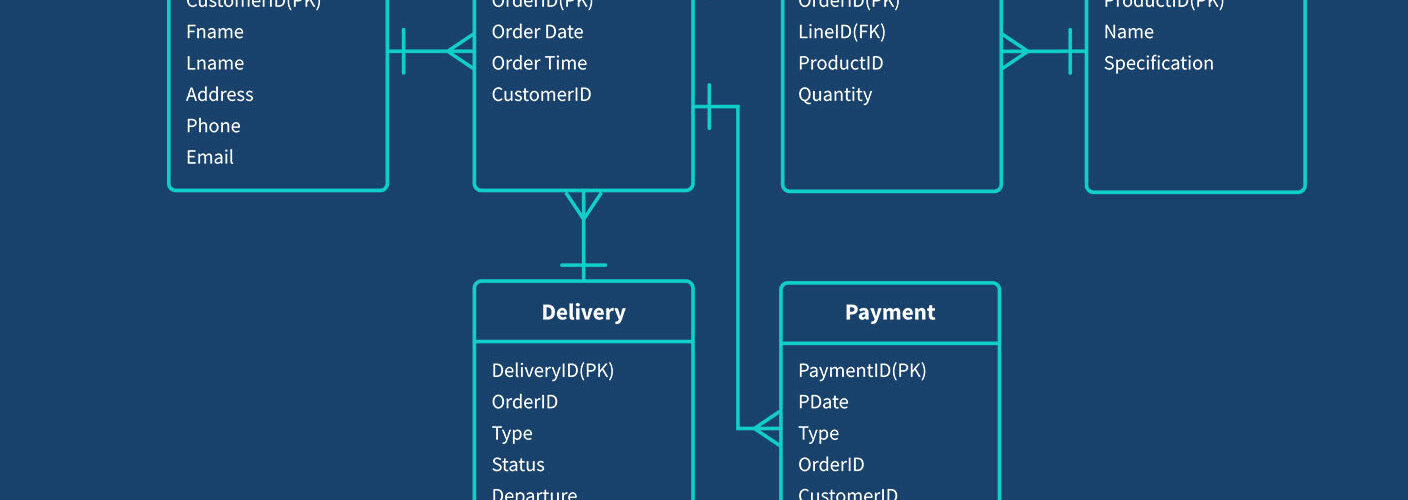
But a data model is not fundamentally an Excel feature.
Tables existed before Power Pivot.
Relationships existed before Power Pivot.
Primary keys existed before Power Pivot.
Queries existed before Power Pivot.
Relational database management existed long before somebody decided that it would be useful to put a relational engine inside an Excel workbook.
That distinction matters enormously.
Because once you understand the Data Model as a data concept rather than an Excel feature, an entirely different architectural possibility becomes obvious.
The Data Model doesn’t have to be inside the workbook at all.
Put It Outside
Imagine instead that the trusted data is stored centrally.
Perhaps in SQL Server.
Perhaps in Access.
Perhaps in a cloud database.
Perhaps in a departmental data warehouse.
The precise technology isn’t the important part.
The important part is that there is one trusted location.
Now Excel becomes a client of that data.
One spreadsheet can query it.
Ten spreadsheets can query it.
A hundred spreadsheets can query it.
Different spreadsheets can retrieve different views of the same underlying information.
And, where appropriate, spreadsheets can submit new information back to the central source.
The workbook no longer needs to be the database.
It becomes an interface to the database.
That is a completely different architecture.
The System of Record
This distinction becomes even clearer when we think about the concept of a system of record.
In a properly designed business system, there should be somewhere that everyone accepts as containing the authoritative version of the data.
The latest transactions are there.
The latest corrections are there.
The latest submissions are there.
Everybody asking the same question of that source should receive an answer based upon the same underlying information.
That source might be the corporate ERP system.
But there are perfectly good reasons why you might not want hundreds of spreadsheet users directly interrogating the production ERP database.
So organisations create secondary trusted sources.
Data warehouses are an obvious example.
The principle is simple.
Instead of everybody extracting data independently into their own little world, the organisation provides another centrally maintained source from which people can retrieve what they need.
And that raises another question.
Why should that principle stop at the boundary of Excel?
It doesn’t have to.
The Alternative Is Copying
Now consider what happens when we don’t have that central architecture.
Someone creates a spreadsheet.
They send it to somebody else.
That person creates another spreadsheet from it.
They send that to three more people.
Those people incorporate the information into their spreadsheets.
Those spreadsheets are subsequently distributed to still more people.
The process spreads.
And it spreads for a perfectly understandable reason.
Everybody is trying to collaborate.
They need somebody else’s information, or somebody else needs theirs.
So they solve the problem using the mechanism they know:
copy and distribute the spreadsheet.
That behaviour is almost viral.
One copy creates several copies.
Those copies create further copies.
Before long, nobody necessarily knows which spreadsheet contains the latest information, which transformation was applied, which copy somebody else used, or whether two reports supposedly describing the same business situation are actually based upon the same underlying data.
And then we blame spreadsheets.
But the problem isn’t necessarily Excel.
The problem is the architecture.
We Have Taught the Wrong Boundary
This, I think, is one of the unintended consequences of modern Excel education.
We have become extremely good at teaching people what they can do inside a workbook.
Bring this table into Excel.
Bring that table into Excel.
Transform them with Power Query.
Load them into the Data Model.
Create relationships.
Build measures.
Create your PivotTable.
Fantastic.
But notice where the conceptual boundary remains.
The workbook.
The learner becomes increasingly sophisticated while remaining inside the same architectural box.
They may become extraordinarily good at Power Query.
They may become extraordinarily good at Power Pivot.
They may understand sophisticated DAX.
But nobody necessarily asks them:
Why is your Data Model inside this workbook in the first place?
That question is particularly important when the spreadsheet is participating in a collaborative business process.
Personal Excel and Collaborative Excel Are Different Problems
This is why I think we need to make a much clearer distinction in Excel education.
There is Personal Excel.
And there is Collaborative Excel.
Personal Excel is primarily concerned with making an individual more productive.
Collaborative Excel is concerned with making a process more effective.
Those aren’t the same problem.
If I’m creating my dinner-party shopping list, I don’t need an enterprise architecture.
Putting the information into SQL Server would be ridiculous.
But if 100 people are contributing information to a budgeting process, and another 50 people are consuming and reviewing that information, the architectural question becomes extremely important.
Should we really have 100 separate versions of the data travelling around inside 100 separate workbooks?
Or should those 100 workbooks simply be clients of a common source?
Once you frame the question like that, putting the data outside the workbook stops sounding strange.
In fact, the opposite starts sounding strange.
Excel Doesn’t Become Less Important
There is another misconception here.
Taking the data out of the spreadsheet does not diminish Excel.
Quite the opposite.
Excel can still provide everything that makes Excel valuable.
The familiar grid.
Formulas.
PivotTables.
Charts.
Dashboards.
Formatting.
Scenario modelling.
User interaction.
VBA.
Power Query.
Whatever tools are appropriate for the job.
But Excel no longer has to carry the entire information system around inside every workbook.
The spreadsheet becomes the client.
The trusted data source becomes the server.
Or, using the terminology I use for this architecture, the central data source becomes the Digital Librarian.
Everyone can ask the Librarian for the information they need.
Everyone receives information from the same trusted source.
And authorised users can submit information back.
The individual spreadsheets can still be wonderfully flexible.
But the data is shared.
So Let Me Ask the Question Again
The next time somebody explains Excel’s Data Model, don’t start by asking how to add another table to it.
Ask a more fundamental question.
Why is the Data Model inside the workbook?
Sometimes there will be a perfectly good answer.
For a personal, self-contained analytical task, keeping everything together may be exactly the right solution.
But for a collaborative business process?
For dozens of users?
Hundreds of users?
For information that needs to be shared, updated, consolidated and trusted?
The answer is far less obvious.
And perhaps the most revealing response of all is:
“Where else would you put it?”
Because that tells us something important.
It tells us that we have taught people a feature before teaching them the underlying concept.
The Data Model does not belong to Excel.
Excel is simply one possible client of a data model.
And once you understand that distinction, an enormous door opens.
You stop asking:
How much can I put inside this spreadsheet?
And start asking:
What role should this spreadsheet play in the business process?
That is a much bigger question.
And it leads to a very different kind of Excel.



Add comment