


Listen to the podcast discussion above.
It’s been reported in The Daily Mail that an asteroid “half the size of a giraffe” has struck near Iceland.
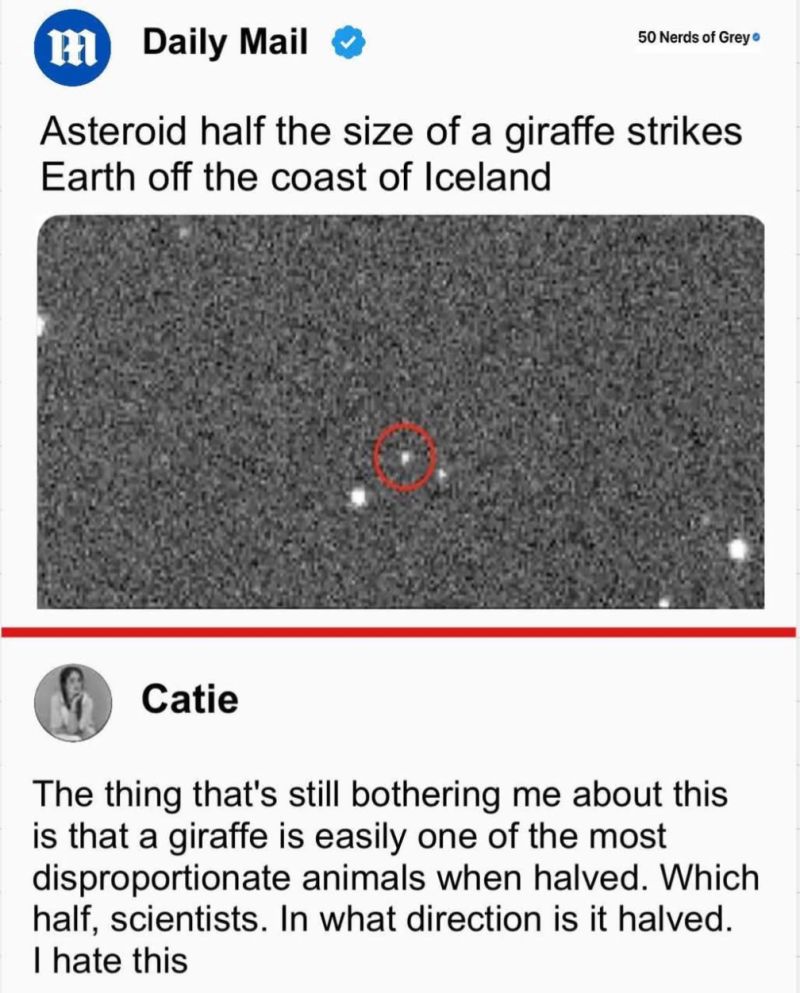
Half a giraffe?
Now, I don’t mean to nitpick, but giraffes are famously… irregularly proportioned. Are we talking about the top half (all neck and attitude), or the bottom half (legs like stilts with hooves attached)? This matters. If I’m sheltering from an asteroid, I’d quite like to know which half is heading my way.
This may sound like an absurd line of questioning. And it is. But it’s exactly the kind of absurdity we accept every day when someone says:
“We’re doing this in Excel.”
Which Excel?
Because – and here’s the part that triggers blank stares at meetings across the land – there are, in fact, two Excels.
Well, not two different applications, technically. It’s the same Excel.exe. But like the giraffe, it’s a creature of extremes. How you handle it depends entirely on which half you’re dealing with.
World 1: The Purple Squares
This is the Excel you see in social media demos.
Everything neat, everything visible.
The entire solution—inputs, logic, calculations, and outputs—is right there in front of you.
Classic Purple Square Thinking:
- “We’ve added columns to track status.”
- “Here’s a clever XLOOKUP to combine these two sheets.”
- “We made a dashboard with slicers!”
It’s impressive. It’s colourful.
And it’s usually built for one person, working on one file, for one use case.
But try to scale it and things fall apart.
Add five departments, ten reviewers, and a deadline…
Suddenly that ‘slick’ Excel model becomes a game of Whac-A-Mole with error messages.
World 2: The Spray Gun
Then there’s the other world of Excel.
Where Excel isn’t the canvas – it’s the tool.
Like a spray gun hooked up to a vat of data, it fetches what it needs, formats it, and puts it back where it belongs.
Classic Spray Gun Thinking:
- “The data lives in a database, not the spreadsheet.”
- “Click this button to pull the latest data.”
- “Click that button to upload your changes.”
Here, Excel acts like a front-end to a structured backend – often Microsoft Access or SQL Server.
It’s invisible, silent, and staggeringly powerful.
This is the Excel used to build scalable enterprise workflows – often by accident, by someone who thought, “I wonder if this can be done better…”
But here’s the problem:
The Spray Gun Excel isn’t demo-friendly.
You can’t easily show it off on LinkedIn with colour-coded GIFs and speed-run tutorials.
So it’s misunderstood. Or worse – ignored.
So, Which Half Are You Using?
Just like the giraffe-asteroid incident, it’s dangerous to talk about Excel in vague terms.
Are you dealing with the neck – the visible part full of formulas, tables, and drop-downs?
Or are you in the legs – the part that supports the entire system but rarely gets shown off?
Because both are Excel.
But confusing the two leads to disaster.
It’s how we end up with fragile spreadsheets passed from hand to hand like digital chain letters.
It’s how multi-million-dollar organisations find themselves doing budgeting using 17 versions of “Final_Final_v2.xlsx”.
Time for the Sketch
Enter: the Purple Squares and Spray Gun sketch.
Picture two teams.
One is diligently painting neat little purple squares by hand, filling them in with formulas, and emailing them to each other.
The other?
One person picks up a spray gun, pulls the trigger, and instantly produces the finished result.
Both are using Excel.
But one is stuck in world 1, thinking that’s all Excel can do.
The other has discovered world 2—where Excel becomes the most powerful front-end tool in the history of business computing.
The Punchline
If someone says they use Excel, ask them:
“Top half or bottom half?”
Because if they’re only painting purple squares, they’re missing the magic.
And if they’ve discovered the spray gun, they’re probably too busy getting results to argue about whether VBA is deprecated.




Add comment