


From a Tiny Cell to a Global System
By Hiran de Silva
From caterpillar to a butterfly
When people talk about financial modelling in Excel, they almost always focus on the formulas.
Inputs.
Calculations.
Outputs.
But there is a deeper architectural question that almost nobody asks:
What is the footprint of the model?
In other words:
How far does the model actually extend?
What is the boundary within which the model operates?
Because if you examine almost every model that is taught today — whether it is a three-statement model, an investment model, or anything taught by financial modelling institutes — you will notice something remarkable.
The entire model exists inside a single workbook.
You change an input.
The formulas calculate.
The outputs change.
Everything happens within that document.
That is the dominant paradigm of spreadsheet modelling today.
But historically, that was only the first step in a much larger evolution.
Stage 1 — 1979: The Single-Sheet Model
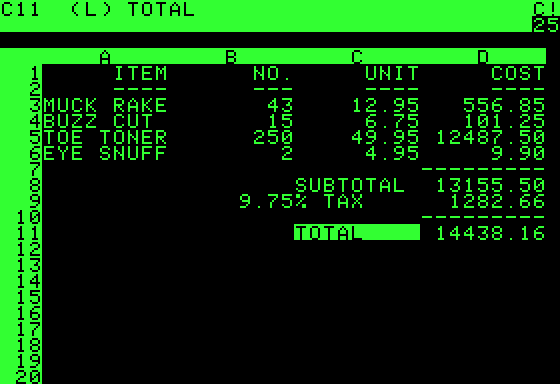
The original spreadsheet — VisiCalc — appeared in 1979.
Its revolutionary idea was extremely simple.
You could place numbers in cells and connect them with formulas.
Example:
A1 = Input
A2 = Input
A3 = A1 + A2
Change the input.
The result updates instantly.
That was the first electronic model.
But notice something important.
The entire model existed inside a tiny area of a sheet.
The footprint of the model was a few cells.
It was revolutionary — but extremely local.
Stage 2 — 1982: The Linked Workbook Model
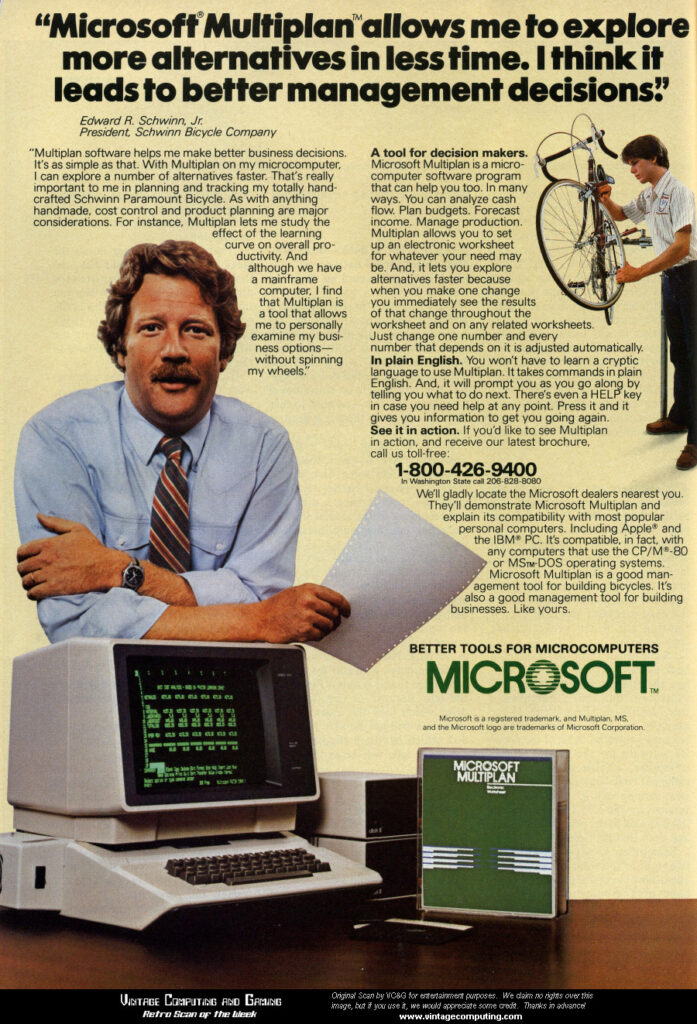
In 1982 another breakthrough arrived. Microsoft Multiplan.
Followed by programs like:
- Lotus 1-2-3
- Lotus Symphony
- early Microsoft Excel
introduced external workbook links.
Now a model could reference:
[Budget.xls]Sheet1!A1
Suddenly the model could extend beyond one workbook.
Inputs could live in another spreadsheet.
Outputs could be calculated elsewhere.
The footprint of the model expanded from:
one sheet → multiple files
This was a huge step forward.
But it had a problem.
External links were fragile.
Files moved.
Links broke.
Paths changed.
Still, at the time it felt miraculous.
Stage 3 — Networking
Then corporate infrastructures had a massive boost. We had networking, and the Windows environment. The spreadsheet links could now reach wider across the corporate network.
This was a big leap in the footprint, and the influence, of a spreadsheet model, simply because the underlying architectures had expanded. On the same existing spreadsheets.
But each spreadsheet was still a document.
Stage 4 — 1990s: Hub-and-Spoke Architecture
But, now arguably the biggest game changer. The real architectural revolution came in the 1990s.
Instead of linking spreadsheets to spreadsheets, Excel could create, and connect, to a central database.
Now the architecture looked like this:
Database (hub)
      |
      |
Excel clients (spokes)
Instead of passing files around, and having different competing versions scattered around the company, the model connected to a single source of truth.
This allowed models to operate across an entire corporate network.
Multiple users.
Shared data.
Centralised logic.
Reliable architecture.
The footprint of the model expanded again.
From multiple files → the entire corporate network.
At this moment the spreadsheet stopped being just a document.
It became part of a system.
Stage 5 — 2000s: The Global Model
4
With the arrival of cloud infrastructure, the footprint expanded once again.
Now the hub could be hosted in the cloud.
That means the model could operate across:
- multiple offices
- multiple countries
- unlimited participants
- independently
In other words:
global models.
Again, nothing in Excel needed to change – all the plumbing already existed as in Stage 4. Global reach was simply possible by moving where the data resided.
Budget systems.
Operational systems.
Collaborative processes.
All running continuously.
The spreadsheet had evolved from a document into a global system.
The Five Footprints of Spreadsheet Modelling
We can now see the full historical progression.
| Era | Architecture | Model Footprint |
|---|---|---|
| 1979 | Single spreadsheet | A few cells |
| 1982 | Linked workbooks | Multiple files |
| 1990 | Corporate networks | Companywide linked spreadsheets |
| 1996 | Hub-and-spoke database | Corporate network – no links |
| 2000s | Cloud leveraged hub-and-spoke | Global systems |
This is the evolution of spreadsheet modelling.
From local to global.
The Caterpillar and the Butterfly
Here is the astonishing part.
The spreadsheet has undergone a transformation as dramatic as a caterpillar becoming a butterfly.
We have moved from:
Spreadsheets as documents
to
Spreadsheets as systems.
From:
paper flow
to
data flow.
Every modern digital system works this way.
ERP systems.
Cloud platforms.
Web applications.
All operate on centralised data architectures.
The Strange Exception: Excel Education
Yet when we talk about spreadsheets today, something extraordinary happens.
The entire conversation collapses back to the 1980s document mental model.
Look at almost all Excel education today.
The focus is on:
- formulas
- formatting
- Power Query
- dashboards
But almost always inside a single workbook.
Even modern tools often reinforce the document paradigm.
For example:
Power Query primarily imports data into a workbook.
But enterprise architecture does the opposite.
It liberates data from documents into central systems.
Power Query often pulls data into the cage.
Enterprise architecture releases the data from the cage.
The Hidden Mismatch
This is why many enterprise challenges cannot be solved by document-centric thinking.
For example:
- global budgeting
- collaborative data entry
- continuous operational models
- real-time reporting systems
These require system architecture.
Not documents.
Yet because the Excel conversation is dominated by the document mindset, people attempt to solve system problems with document tools and document thinking.
And then conclude:
“Excel can’t scale.”
The truth is very different.
Excel can scale globally.
But only when we move from:
Excel the document
to
Excel the system.
The Real Mic Drop
The footprint of a spreadsheet model has expanded from:
a few cells in 1979
to
global real-time systems today.
Yet the mainstream Excel conversation is still teaching the 1980s paradigm.
Which means an entire generation of Excel users has never even seen what spreadsheets are actually capable of.




Add comment